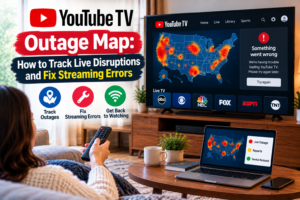
YouTube TV Outage Map: How to Track Live Disruptions and Fix Streaming Errors
Table of Contents
If the viewer of live sports or any day to day information gets a blank screen or buffering circle, it causes instant frustration for any family. If the live channels don’t load, the first step is to figure out if it’s a problem with the home internet equipment or a platform problem.
A dependable youtube tv outage map can assist subscribers determine if their neighbourhood or nationwide networks are impacted.
Understanding How a YouTube TV Outage Map Works
A live tracking map will visualize real-time feedback from users that comes from geographical locations. If the viewers start reporting on the error, the platforms take the action and generate a real-time heatmap.
These maps are designed to identify clusters of reports above baseline activity. A solid line around a single city typically means a fibre line outage or local affiliate broadcast failure. On the other hand, if there are heat markers in many different time zones, it may be an issue with the central server or a cloud network. Viewers checking overall system health can monitor live platform updates regarding a YouTube TV outage across major metro areas.
Top Online Tools to Track YouTube TV Down Reports
Subscribers can turn to several independent tracking tools to check system health before spending time resetting home equipment.
1. Independent Status Trackers
Third-party platforms compile live data from user submissions, mobile app feedback, and social media signals:
- Downdetector: Offers a visual map alongside a 24-hour report graph showing report spikes against historical averages.
- Is The Service Down: Maps out localized issues by city and breaks down specific report types, such as buffering, login errors, or black screens.
- Instatus & VeePN Status Checker: Provide real-time server ping tests across global geographic checkpoints to verify accessibility.
2. Official Support Channels
While independent maps track user reports, official channels confirm verified engineering issues:
- TeamYouTube on X (Formerly Twitter): Official support representatives frequently acknowledge widespread streaming disruptions and share estimated recovery timelines.
- YouTube TV Help Center: Displays active system alerts for known technical bugs or local channel contract negotiations.
To better understand general channel packages and account features when service is restored, users can review the full YouTube TV membership overview.
Common Reasons YouTube TV Displays Streaming Errors
Not every stream failure stems from a total network collapse. Understanding the underlying causes helps narrow down the appropriate fix.
Problem Type | Common Symptoms | Root Cause |
National Outage | Application fails to open; blank home screen across all devices | Central Google server failure or cloud database crash |
Regional Outage | Specific city shows heavy activity on the youtube tv outage map | Local internet provider fiber cuts or regional server routing issues |
Affiliate Blackout | Local news or sports channels go dark, while national feeds work | Local broadcast affiliate encoder errors or temporary transmission loss |
Local Hardware Error | Continuous spinning wheel, app crashes, or frozen video | Outdated app version, full device cache, or weak home Wi-Fi signal |
When facing playback glitches on smart TVs or streaming sticks, reviewing troubleshooting guides for YouTube TV problems today helps isolate account-level issues from network-wide downtime.
How to Determine If the Outage Is Central or Local
Before assuming a complete network collapse, running a quick diagnostic sequence saves time and prevents unnecessary troubleshooting steps.
- Check Live Heat Maps: Review independent status maps to see if adjacent neighborhoods or major metropolitan areas show matching report spikes.
- Test Other Streaming Apps: Open alternative streaming services or online video platforms on the same streaming device. If other applications load video instantly, home internet connectivity is functioning properly.
- Switch Devices: Open the mobile application using cellular data rather than home Wi-Fi. If the channel streams on cellular data, the issue likely stems from local router settings or internet service provider routing.
Persistent loading glitches that persist across all devices often indicate broader platform errors detailed in comprehensive YouTube TV not working repair guides.
Step-by-Step Troubleshooting for Local YouTube TV Issues
When live status maps show low activity and confirm standard operations, performing basic system maintenance resolves most local playback errors.
- Restart the Application: Completely close the application on the smart TV, streaming stick, or mobile device, then relaunch it.
- Reboot Network Hardware: Unplug the internet modem and Wi-Fi router for 30 seconds before plugging them back in to refresh IP routing.
- Clear Application Cache: Access device settings, select the streaming app, and clear accumulated cache files to eliminate corrupted temporary data.
- Verify Location Settings: Check area settings within the profile menu to ensure geographic playback permissions match current physical locations.
- Update Device Software: Ensure both the streaming application and the device operating system carry the latest software updates.
If streams load with a blank display but normal background audio, users can follow specialized steps to resolve a YouTube TV black screen error quickly.
Conclusion
When streaming services experience unexpected outages, it can disrupt the normal flow of news reports and live entertainment, but with the help of a live youtube tv outage map, you’ll know exactly what’s going on when the service is down. Monitoring the real-time tracking platforms, comparing the local device behaviour and executing any targeted troubleshooting steps, viewers can quickly determine if the playback is an error that needs a quick home reboot or that it requires some patience whilst the network engineers restore their primary servers.
Frequently Asked Question
What information does a map of a YouTube TV outage provide?
A tracking map shows geographic regions where users are reporting real-time issues with buffering video, logging in to their accounts, or accessing their channels. Areas with more reports are highlighted with darker or colored clusters.
For those who are using the YouTube TV service, how do they know if it's down for everyone?
You can determine if there’s been an uptick in user-reported volumes by looking at other independent status tracking sites. The high reported spikes at sites around the country indicate widespread disruption to the system.
Why is YouTube TV buffering yet other applications aren't?
Specific server connections are needed per individual live channel. Even when the internet speed isn’t too slow, buffering may occur due to a localized routing problem between an ISP and the YouTube TV servers.
How long do general YouTube TV service disruptions last?
Most platform disruptions are addressed quickly by engineering teams, with service typically restored within 30 minutes to two hours.
Can a local affiliate channel be down while the rest of the app works?
Yes. Regional broadcast feeds rely on local television station transmission. Technical failures at a local affiliate can take an individual channel offline while national cable networks stream normally.
Does a black screen mean YouTube TV is experiencing an outage?
Not always. A black screen can indicate a temporary network blackout, a geographic location error, or a device cache glitch that requires a quick app restart.
Where can users report a live streaming problem?
Outages can be reported on independent platforms such as Downdetector or support messages can be sent directly to official support platforms on social media.
What does YouTube TV mean when it says it's unavailable in a certain area?
This is typically a problem that is caused when device location services don’t check physical geographic boundaries or when an active corporate network is blocking live streaming protocols.
Is it possible to fix streaming playback issues by reset the Wi-Fi router?
Resetting the home networking devices resets any conflicts associated with the local IP assignment and refreshes the bandwidth allocation, thus helping to fix minor buffering and connection issues.
Are there offline errors on channels because of a blackout rule?
Yes. Some sports broadcast may be subject to regional sports blackout and the live feed will have a sports blackout warning rather than a regular broadcast.

Peter
Related Post

YouTube TV Outage Map: How to Track Live Disruptions and Fix Streaming Errors
YouTube TV Outage Map: How to Track Live Disruptions and Fix Streaming Errors Table of Contents If the viewer of live sports or any day
Is CBS on YouTube TV? Everything You Need to Know
Is CBS on YouTube TV? Everything You Need to Know Table of Contents Millions of homes have abandoned their cable service for streaming television. One
Is Hallmark on YouTube TV? Complete Guide for Viewers
Is Hallmark on YouTube TV? Complete Guide for Viewers Table of Contents If you’re in the US, you can stream Hallmark movies and more via