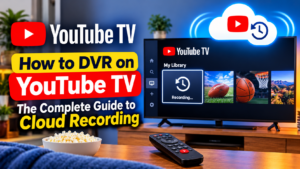
How to DVR on YouTube TV: The Complete Guide to Cloud Recording
Table of Contents
Few schedules of live television programs match up with a busy day. DVR on youtube tv is the answer to these problems since it will allow users to download full TV shows, live sports events, and movies to a cloud library without any limitation of space or hardware.
Instead of traditional STBs, YouTube TV offers unlimited cloud-based DVRs. This guide will explain how to add programs into the library, how to manage saved content and how to use the cloud recording feature on smart TVs, streaming devices, on your computer and on your phone.
What is YouTube TV Cloud DVR?
The YouTube TV DVR is a digital recording feature built-in within the streaming platform. YouTube TV stores YouTube content directly on remote Google servers, unlike cable systems which store it on hard drives in a home STB.
- Unlimited Storage Capacity: Save hundreds of movies, complete series and live events at once.
- 9-Month Retention: Saved broadcasts are retained in the personal library for nine months from airing.
- Private Household Profiles: Every profile under a family plan receives a dedicated DVR space. Saved shows and recommendations stay separate for up to six users within a single YouTube TV membership.
How to DVR on YouTube TV Across Any Device
Adding content to the recording list takes just a few clicks or remote taps.
Method 1: Recording Upcoming Shows via Search
- Launch the YouTube TV app or visit youtvstart.com in your web browser.
- Click the Search icon (magnifying glass) at the top of the interface.
- Enter the title of the show, movie, or sporting event.
- Select the correct title from the search results to open its main overview page.
- Tap Add to Library (the + icon). The icon changes to a checkmark, confirming that current and future airings are set to record.
Method 2: Recording Live TV While Watching
- Tune into any live broadcast currently playing.
- Press down on a smart TV remote or tap the screen on a mobile device to open playback controls.
- Select the + (Add to Library) icon located below the playback progress bar.
- YouTube TV saves the current live stream and schedules all future episodes automatically.
Method 3: Scheduling Recordings from the Live Guide
- Navigate to the Live tab to display the channel grid.
- Scroll through the grid to locate a program scheduled to air later.
- Click or tap the program tile to open its detail preview.
- Select Add to Library to lock in the recording before airtime.
Recording Live Sports and Major Events
Recording live games on YouTube TV includes built-in tracking features tailored for sports fans.
- Team and League Automation: Searching for a specific team (such as the Kansas City Chiefs) or an entire league (such as the NFL) and selecting Add to Library automatically records every game broadcast for that selection across all channels.
- Automatic Overtime Extension: Live sporting events often run longer than their scheduled timeslots. YouTube TV automatically detects game extensions and lengthens the recording window so the final minutes are preserved.
Managing Your Account and Extras
Before setting up long-term DVR libraries, it helps to understand how account setups impact your saved files and overall streaming experience.
- Plans and Base Costs: The standard base plan covers core sports, news, and entertainment networks. You can evaluate total monthly expenses by checking the overall YouTube TV cost structure before subscribing.
- Language Packages: Viewers looking for specialized programming can explore options like the YouTube TV Spanish plan to access dedicated Spanish-language networks with full DVR access.
- Optional Add-ons: Premium movie channels, sports passes, and 4K features can be added directly to your account through YouTube TV add-ons.
- Free Trials: New users testing the cloud DVR feature can learn how to cancel YouTube TV free trial subscriptions before billing begins if the service does not meet their needs.
How YouTube TV Handles DVR vs. On-Demand (VOD)
Understanding how saved content differs from On-Demand streams helps when picking the right version to stream.
Feature | DVR Recording | Video on Demand (VOD) |
Source | Captured live TV broadcast | Network-provided stream |
Labeling | Marked as Recorded | Marked as Released |
Commercials | Ad breaks can be fast-forwarded | Unskippable ad breaks may apply |
Availability | Appears after broadcast finishes | Appears when network uploads it |
If both versions exist for an episode, select Choose a Version beneath the thumbnail and pick DVR for playback control.
Conclusion
By learning how to DVR on YouTube TV, one can enjoy complete flexibility in watching the live television as and when he wishes. The cloud-based platform allows for unlimited simultaneous recordings, a separate family profile and the creation of a private library of media on all devices, ensuring that no one misses their favorite shows. Just clicking the + icon will convert any live stream/scheduled broadcast into a saved recording that can be viewed at any time.
Frequently Asked Question
Is a single episode supposed to be recorded, rather than a series?
Once a program has been added to the library, it is captured on YouTube TV for all future broadcasts and re-airs. There is no individual episode selection option, but since there is no limit to storage, full series are automatically saved without taking up space on the device.
What is the maximum number of shows that can be recorded simultaneously?
There are no simultaneous recording limits. YouTube TV captures dozens of broadcasts taking place in the exact same timeslot without tuner conflicts.
How many days do saved recordings remain in the library?
Recordings will be available for nine months after the original air date. If a show is repeated (rerun) months later, the system updates the recording date and resets the timer to its original 9-months.
Can ads be skipped on recorded content?
Standard DVR recordings permit complete fast-forwarding through commercial breaks. On-Demand (VOD) releases provided directly by networks may restrict commercial skipping.
What happens if a live game goes into overtime?
The platform uses automated event tracking to lengthen recording times for live sports whenever games exceed their scheduled broadcast windows.
Do DVR recordings take up storage space on mobile phones or TVs?
No, all recordings process and store on remote Google cloud servers. Adding content to the library uses no local storage on phones, tablets, or streaming devices.
Can YouTube TV recordings be viewed offline?
Offline downloading for DVR content requires the optional 4K Plus add-on and is supported on compatible mobile devices through the YouTube TV app.
What happened to a show that was added to the library that didn't record?
Recordings are activated by a programme that is actually broadcasted on television. The library retains requests for a show between seasons and for shows not on any network at present, and records the show when airings start.
Are there shared family libraries?
Up to 6 individual user profiles can be used for each account. Each profile has its own individual library, with no sharing of personal watch lists or recommendations.
Can saved shows be removed from the library?
Manual deletion is not necessary since storage is unlimited. Pressing the checkmark icon (In Library) will take the show off the scheduling list and prevent it from being recorded again, while existing shows will automatically expire after 9 months.

Peter
Related Post


YouTube TV Simultaneous Streams: Complete Device and Upgrade Guide
YouTube TV Simultaneous Streams: Complete Device and Upgrade Guide Table of Contents Whether you’re dealing with multiple viewers tuning in simultaneously during an important moment

How to DVR on YouTube TV: The Complete Guide to Cloud Recording
How to DVR on YouTube TV: The Complete Guide to Cloud Recording Table of Contents Few schedules of live television programs match up with a
YouTube TV Veteran Discount: Savings, Verification, and Features
YouTube TV Veteran Discount: Savings, Verification, and Features Table of Contents Popular And Cost-Effective Ways to Watch Live TV, Local News, And College Sports Cost-saving