Customizing Your Lineup: The Complete Guide to YouTube TV Add Ons
Table of Contents
Cord-cutting has developed from a basic practice of saving money to a high level art of building up personalized home entertainment packages. The previous era of cable TV services obliged people to pay for countless channels that no one ever used. Now the modern streaming solutions have turned the entire paradigm upside down, allowing users to subscribe to slim basic packages that could be expanded by a choice of various specialized channels. And in order to create an optimal package, the knowledge of how to use premium additions is necessary.
Building up a personalized live stream service is all about choosing the right configuration. With the help of additional channels, sports channels, and other technical improvements, users can design an entertainment package of their dreams. The current article serves as a comprehensive guide that analyzes all possible costs, capabilities, and management issues related to all possible additions to the network package.
Exploring Premium Network Upgrades and Entertainment Bundles
The most common way viewers enhance their streaming package is by adding premium movie and drama networks. These networks provide award-winning original series, Hollywood blockbuster films, and deep libraries of on-demand content that do not air on standard cable channels. Instead of opening multiple separate streaming apps with different passwords, users can integrate these premium choices directly into their main live guide.
The Entertainment Plus Bundle
For households that want maximum entertainment value without managing a dozen separate bills, the platform offers a consolidated flagship bundle. This package combines three major premium networks into a single monthly charge, providing a significant discount compared to purchasing each network individually. Subscribers receive complete access to the full on-demand libraries and live linear feeds of these networks.
The bundle brings together high-end drama series, major motion pictures, and commercial-free entertainment. Having all of this content indexed directly within the main user interface makes searching for movies simple, as titles from all three networks appear in unified search results. It stands out as one of the most popular upgrades for movie lovers who want to maximize their viewing choices. Reviewing a direct breakdown like youtube premium vs youtube tv highlights the difference between on-demand ad-free video ecosystems and live television bundles.
Individual Premium Add-Ons
Viewers who prefer a more targeted approach can select individual networks instead of pre-packaged bundles. This a la carte system ensures that households only pay for the exact content they watch. The individual premium marketplace includes highly requested networks that cater to a wide variety of specific tastes:
- Max: Offers the entire collection of historic dramas, Warner Bros. movie releases, and exclusive streaming originals.
- Paramount+ with Showtime: Combines live local CBS programming feeds with premium dramatic series, comedy specials, and championship boxing matches.
- Starz: Focuses heavily on massive theatrical movie releases, action-heavy original series, and family-friendly movies.
- MGM+: Provides a deep catalog of classic Hollywood cinema, modern thriller series, and curated independent films.
Expanding Live Sports with Dedicated Add-On Packages
Missing a live game because of regional broadcast restrictions or missing networks is a major frustration for sports fans. While the standard base subscription includes essential broadcast networks and mainstream cable sports channels, it does not cover out-of-market events or niche athletic disciplines. Dedicated sports expansions solve this problem by introducing specialized networks for hardcore enthusiasts.
The Sports Plus Package
The primary sports expansion tier adds over a dozen dedicated athletic networks to the live guide for a flat monthly fee. This package is designed to provide comprehensive coverage that spans across professional leagues, college conferences, and international competitions. It is an essential upgrade for fans who follow fantasy sports or want to keep track of multiple live games simultaneously.
The absolute centerpiece of this sports bundle is NFL RedZone, which bounces around from stadium to stadium every Sunday afternoon to show every single touchdown drive live. Beyond football season, the package provides year-round value by unlocking specialized channels dedicated to tennis, international soccer, collegiate sports, motorsports, and extreme athletics. It ensures that the television always has live competitive events running, regardless of the season.
NFL Sunday Ticket
For absolute football devotees, the platform serves as the exclusive provider of the ultimate out-of-market regular-season viewing package. This specialized seasonal pass operates under a distinct pricing structure separate from monthly billing cycles. It allows fans to watch every single Sunday afternoon regional game that is not being broadcast on local television stations in their specific area.
This premium sports pass integrates perfectly with advanced platform features like Multiview, which allows users to watch up to four live games on a single screen simultaneously. It also includes real-time statistical tracking and condensed game replays for viewers who need to catch up quickly. Because it represents a massive financial commitment, it is tailored specifically for fans who live far away from their favorite team’s local broadcast market.
Technical Enhancements and Specialty Programming Tiers
Upgrading a television lineup is not just about adding more channels; it can also involve upgrading the actual visual quality and functional capabilities of the streaming feed itself. Advanced households often look for ways to improve their technical viewing experience or add highly specific, non-English programming to their profiles. When unexpected feeds disrupt an active evening, checking for a widespread youtube tv outage helps differentiate a general platform issue from local network hardware troubles.
The 4K Plus Technical Upgrade
As large, ultra-high-definition television screens become the standard in modern living rooms, viewers naturally want content that can take full advantage of those display pixels. The premium technical upgrade package is designed specifically to elevate the structural performance of the streaming feed. It introduces three major upgrades that completely change how a household watches television:
- Ultra HD Resolution: Unlocks stunning 4K streaming resolution for select live sporting events, major analytical broadcasts, and on-demand nature documentaries.
- Unlimited Home Streams: Removes the standard three-device restriction, allowing an unlimited number of gadgets to stream simultaneously on the home Wi-Fi network.
- Offline DVR Downloads: Enables users to download recorded cloud DVR content directly to smartphones or tablets for completely offline viewing during travel.
Spanish Plus and Niche Lifestyle Add-Ons
The platform accommodates diverse, multicultural households by offering expansive international programming packages. The primary Spanish-language upgrade adds a comprehensive suite of networks focused on telenovelas, international news, Spanish-language comedy, and live soccer coverage from global leagues. This allows families to enjoy rich cultural content without paying for a completely separate international television provider. For those who want to skip the standard English feeds entirely, looking into the dedicated standalone youtube tv spanish plan offers a streamlined alternative.
Outside of language packages, a massive collection of hyper-focused niche add-ons allows users to target incredibly specific hobbies and interests. Viewers can add dedicated networks for true-crime documentaries, independent horror films, British television dramas, or educational science programming. These budget-friendly additions ensure that every member of the family has access to content that aligns precisely with their unique personal interests.
How to Manage, Add, and Cancel Subscriptions
One of the greatest advantages of modern streaming platforms over traditional cable contracts is the complete absence of long-term commitments. Users are never locked into a strict multi-year agreement, meaning any premium network upgrade can be added or removed instantly based on changing household needs or seasonal television schedules. Those experimenting with premium channels during trial phases often require instructions on how to cancel youtube tv free trial parameters before automated monthly charges process.
Step-by-Step Upgrading and Downgrading Process
Adjusting a subscription lineup requires navigating through the account profile settings using a web browser or a compatible smart television interface. The system updates channel access immediately, meaning newly added networks will display in the live guide within seconds of confirming the change.
To modify the active channel lineup, a user must click on their profile photo in the upper right corner of the screen and select the membership settings menu. This page displays a comprehensive list of every available network upgrade alongside its current monthly price. Checking the box next to a premium channel adds it to the bill immediately, while unchecking a box schedules that specific network to turn off at the conclusion of the current monthly billing cycle.
Understanding Pro-Rated Billing Cycles
The financial infrastructure of the platform utilizes automated pro-rated billing calculation models when users adjust their subscriptions mid-month. If a subscriber adds a premium movie channel halfway through their standard billing cycle, they will only be charged for the remaining days of that specific month, rather than the full monthly rate.
When a user cancels a premium network upgrade, the system leaves the channel completely active until the final day of the current paid period. This ensures that households always receive the exact amount of viewing time they have paid for, with no unexpected cancellation penalties or hidden processing fees. It provides a transparent, consumer-friendly way to test out different programming options throughout the year.
Conclusion
Creating a customized set of entertainment programs involves leveraging the capabilities of the youtube tv add ons. Depending on whether the family prefers to subscribe to top-tier movie channels on weekends or to the best available sport bundles during game day, or would prefer high-quality 4K resolution for an ultimate entertainment experience, youtube TV allows for the flexibility required. With adequate knowledge of channels, entertainment bundles and even technology upgrades, consumers have full control of their entertainment costs on a monthly basis. The freedom of subscribing and unsubscribing from the additional entertainment features whenever necessary ensures that the television entertainment program is always able to adjust seasonally and according to the consumer’s tastes and preferences.
Frequently Asked Question
Can premium network upgrades be shared with family group accounts?
Yes, premium networks are shared automatically across your family group. The primary account manager can invite up to five additional household members to the subscription. Each person gets their own distinct profile, personalized recommendations, and private cloud DVR library, keeping everyone’s watch histories completely independent.
Is a standard base subscription required to purchase these individual channel upgrades?
No, a base plan is not always necessary. The platform has a standalone storefront where users can buy individual premium networks directly and stream them through one interface. However, technical add-ons like the 4K Plus package or specific multi-channel sports tiers do require a live TV base subscription to work.
How does the Multiview feature interact with the sports upgrade packages?
The Multiview feature integrates directly with sports expansions, allowing fans to watch up to four live events simultaneously on a single screen. The platform pre-selects and curates these multi-screen setups during major game windows, making it simple to track multiple matchups at once without constantly changing channels.
Do individual network upgrades include commercial-free on-demand libraries?
Yes, premium network upgrades grant immediate access to the channel’s full on-demand catalog completely free of commercial interruptions. While the live, linear channel feeds still broadcast standard promotional trailers between programs, the on-demand movies and television episodes stream seamlessly from start to finish.
What are the exact internet speed requirements for streaming content in 4K resolution?
An ultra-high-definition 4K stream requires a consistent home download speed of at least 25 megabits per second (Mbps) for a single device. If other family members are online at the same time, an overall home network speed of 100 Mbps or higher is recommended to prevent buffering or sudden quality drops.
Can content from premium upgrades be recorded to the cloud DVR?
Yes, the unlimited cloud DVR works for all premium channel additions. Users can save upcoming movies, live events, and original series to their library with one click. The platform saves these recordings on cloud servers for up to nine months without any data or storage limits.
Why do certain premium channels display lower video quality on older streaming hardware?
Lower video quality usually happens when older hardware struggles to process modern, high-bitrate video formats. Legacy smart TVs, early-generation media keys, and older streaming devices often lack the necessary decoding power. Switching to a current, verified streaming device quickly restores sharp video.
Are there any long-term contracts associated with international language packages?
No, all international and language-specific options operate on a flexible month-to-month billing cycle. There are zero long-term commitments or hidden termination penalties. Viewers can easily add a specialty network for a brief event or tournament, then drop it from their account settings whenever they want.
How do promotional trials work for newly added premium networks?
Newly added networks frequently include a complimentary trial that typically lasts between three and seven days. If the network is not manually removed from the account management settings before this window closes, the platform automatically converts the trial into a standard monthly paid subscription.
Can offline DVR downloads be kept permanently on a mobile device?
No, downloads meant for offline viewing are subject to digital rights management rules. Saved files generally stay on a mobile device for up to 30 days. However, once a viewer presses play on a downloaded title, they must finish watching it within 48 hours before the file expires.

Peter
Related Post
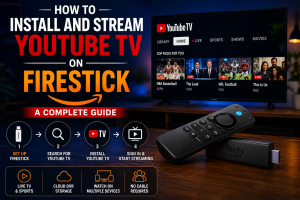

How to Install and Stream YouTube TV on Firestick: A Complete Guide
How to Install and Stream YouTube TV on Firestick: A Complete Guide Table of Contents To instantly stream live channels, sports, and news, downloading the
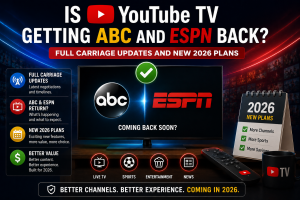
Is YouTube TV Getting ABC and ESPN Back? Full Carriage Updates and New 2026 Plans
Is YouTube TV Getting ABC and ESPN Back? Full Carriage Updates and New 2026 Plans Table of Contents Yes, YouTube TV has officially reached a
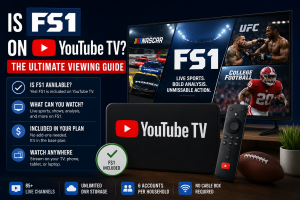
Is FS1 on YouTube TV? The Ultimate Viewing Guide
Is FS1 on YouTube TV? The Ultimate Viewing Guide Table of Contents Yes, FS1 is officially available on YouTube TV, allowing sports fans to stream