YouTube TV Simultaneous Streams: Complete Device and Upgrade Guide
Table of Contents
Whether you’re dealing with multiple viewers tuning in simultaneously during an important moment of television content or simply trying to keep track of who’s watching what on your busy household, managing playback conflicts among YouTube TV services can be tricky.
Understanding youtube tv simultaneous streams gives us the ability to see exactly how many different screens will work together for live channel streaming capabilities while still giving insight into some unique ways that we may need share profiles across devices as well as opportunities where we might want increase our viewing capacity even more if necessary!
How many simultaneous streams does YouTube TV allow?
For starters let’s talk about what kinds of streams they do permit! If I’m just starting out with my YouTube TV service then one thing becomes pretty immediately obvious there are certain things that come along naturally whenever you have subscriptions like this set up too…
With its standard plan subscription option users are allowed up to 3 streams running simultaneously at any given point in time through each device platform such as smart television, streaming devices, computers, smartphones & tablets, etc
Up to six family members’ profiles may be attached to one billing account, but you can only have 3 profile streams active at a time with the base plan. If you try to launch a 4th stream you’ll get an on-screen playback warning that states “you’ve hit your max stream count. Evaluating overall household entertainment expenses against this screen allowance is easier when reviewing the full YouTube TV cost structure.
Understanding Profiles vs. Active Device Streams
A common misconception among subscribers is that adding extra user profiles increases the allowed number of active screens. Each profile provides personalized DVR storage, custom channel recommendations, and tailored watch histories, but all profiles share the same total screen allowance.
Once three active devices are playing content, any additional device attempting to load a live channel or DVR recording will be temporarily blocked until one active playback session is closed. Managing active household profiles is handled directly through your primary YouTube TV membership settings.
Expanding Screening Limits with the 4K Plus Add-On
For larger households requiring more than three screens at once, YouTube TV offers an official feature upgrade called 4K Plus.
- Unlimited In-Home Streams: Devices connected directly to the primary home Wi-Fi network gain unlimited simultaneous viewing privileges.
- Out-of-Home Streams: Subscribers retain three independent streams for mobile devices or travel usage outside the designated home network.
- Enhanced Content: The add-on unlocks select sporting events and original shows rendered in native 4K resolution alongside offline video downloading capabilities.
Subscribers can explore this feature along with other channel upgrades by checking available YouTube TV add-ons. New users testing these features can also review how to cancel YouTube TV free trial subscriptions before billing cycles start.
Rules for Out-of-Home Viewing and Traveling
Subscribers can access live streams while traveling away from home, but location verification policies apply.
- Home Area Check-In: Account members must connect to the primary home Wi-Fi network at least once every 90 days to maintain active profile permissions.
- Local Broadcast Alignment: When traveling outside the home network area, local network channels update automatically based on the device’s physical location.
- Out-of-Home Cap: On the base plan, the three-stream cap covers both in-home and out-of-home screens combined. With 4K Plus, out-of-home streaming is locked to three mobile streams while the home network remains unlimited.
Base Plan vs. 4K Plus Feature Breakdown
Comparing structural features helps households choose the right setup for their daily viewing habits.
Feature Aspect | Base Membership | 4K Plus Upgrade |
Simultaneous In-Home Streams | 3 Total Screens | Unlimited Screens |
Out-of-Home Streams | Shared from 3 Total | 3 Independent Streams |
Max User Profiles | 6 Profiles | 6 Profiles |
Playback Resolution | Standard / HD (up to 1080p) | Standard / HD + Select 4K |
Offline Downloads | Not Supported | Supported on Mobile |
Practical Tips to Avoid Stream Limit Errors
Managing playback access across multiple devices prevents sudden stream disruptions during major live events:
- Exit Playback Fully: Pressing the home button on a smart TV remote sometimes leaves the stream playing in the background. Always exit the app or stop playback explicitly before switching screens.
- Audit Active Devices: Check mobile phones or background browser tabs to confirm no forgotten devices are running active video streams.
- Set Home Network: Ensure all living room smart TVs and streaming sticks are logged into the same main home Wi-Fi network to utilize 4K Plus unlimited streaming benefits properly.
Conclusion
When you understand how many simultaneous streams YouTube TV has, you’ll be sure your entire house enjoys seamless entertainment when streaming content on the service.
The basic plan offers three simultaneous streams which works well if you have a smaller set-up at home. But to handle more than that, YouTube TV lets you opt-in for an upgraded 4K Plus feature, which allows infinite number of in-home screens.
It’s important to manage your current active playback screens correctly to get uninterrupted high-quality live sports, news and daily broadcasting!
Frequently Asked Question
How many screens can watch YouTube TV at the same time?
The standard base plan allows up to three screens to stream content simultaneously. Adding the 4K Plus upgrade expands in-home streaming to unlimited devices.
Does creating a new profile add another allowed stream?
No, creating additional user profiles does not increase the total stream allowance. Profiles keep recordings and preferences separate, but all members share the same three-stream limit on base plans.
What occurs when a fourth screen tries to start playing?
The fourth screen receives an error notification indicating that the maximum stream limit has been reached. Playback will not begin until one of the three active streams is closed.
Can YouTube TV be used in two different locations at once?
Yes, subscribers can stream in two different locations simultaneously, provided the total active streams do not exceed the three-stream cap on standard plans.
Does watching recorded DVR content count toward the stream limit?
Yes, playing back saved cloud DVR recordings uses an active stream slot, identical to watching a live television channel.
How does the 4K Plus add-on define a home network?
The home network is established through the primary Wi-Fi network connected to the account’s home location during initial setup.
Can family members stream on mobile phones away from home?
Yes, family group members can stream on mobile devices outside the house, subject to standard out-of-home device limits and periodic home area check-ins.
Is there a limit on how many devices can have the app installed?
No, there is no limit to how many devices can download the app and log into an account. The restriction applies strictly to active playback streams running at the same time.
Do commercial breaks affect stream counts?
Ad breaks don’t change active stream counts. Any device that’s using our player interface is counted as an active stream.
Can I expand my out-of-home streams to more than 3?
There’s a cap on out-of-home streaming only three simultaneous streams are supported (even if you subscribe to 4K Plus add-on).

Peter
Related Post
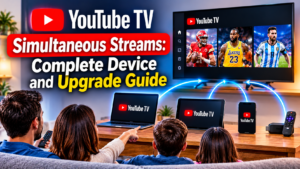

YouTube TV Simultaneous Streams: Complete Device and Upgrade Guide
YouTube TV Simultaneous Streams: Complete Device and Upgrade Guide Table of Contents Whether you’re dealing with multiple viewers tuning in simultaneously during an important moment
How to DVR on YouTube TV: The Complete Guide to Cloud Recording
How to DVR on YouTube TV: The Complete Guide to Cloud Recording Table of Contents Few schedules of live television programs match up with a
YouTube TV Veteran Discount: Savings, Verification, and Features
YouTube TV Veteran Discount: Savings, Verification, and Features Table of Contents Popular And Cost-Effective Ways to Watch Live TV, Local News, And College Sports Cost-saving