YouTube TV 4K Plus: Features, Pricing, and Setup Guide
Table of Contents
When you have several TVs in the house, it can be hard to keep the viewing time in check and avoid bandwidth issues. Live streaming subscriptions by the standard nature of the service are limited to viewing live streams by one person at a time, which leads to frequent streaming failures when two or more family members are trying to watch a live stream concurrently. When it comes to creating a dependable home entertainment system, the key is to strike a balance between accounts and streaming demands.
Today, a lot of homes have more than one smart TV and/or cell user, and they typically locate it difficult to enjoy live content at the same time without encountering artificial caps. The YouTube TV 4 K Plus add-on provides its solutions for these domestic issues through ultra-high-definition resolution, limitless home streaming allowances and downloadable media. Upgrade to get the maximum flexibility for the busy family watching live sports and daily programming. If you are exploring additional features to expand your channel lineup or streaming capabilities, check out our breakdown of available YouTube TV add-ons.
What features are included in the YouTube TV 4K Plus Add-On?
The standard base plan includes high-definition live channels, unlimited cloud DVR space, and up to three simultaneous streams across all connected profiles. If you are exploring additional features to expand your channel lineup or streaming capabilities, check out our breakdown of available YouTube TV add-ons.
- Ultra-High-Definition Streaming: Delivers 2160p resolution on compatible sports, special events, and select on-demand broadcasts.
- Unlimited Home Screens: Removes the standard 3-device viewing restriction for all screens connected to the primary home Wi-Fi network.
- 3 Out-of-Home Mobile Streams: Allows up to three concurrent streams on mobile devices using cellular data or external Wi-Fi networks.
- Offline DVR Storage: Enables subscribers to download recorded shows directly to mobile devices for playback without an active internet connection.
How Much Does YouTube TV 4K Plus Cost?
The add-on requires an active base subscription. Monthly pricing remains straightforward without hidden hardware maintenance charges.
Feature / Plan Tier | Standard Base Plan | Base Plan + 4K Plus Add-On |
Monthly Subscription Price | $82.99 / month | $92.98 / month ($82.99 + $9.99) |
Max Resolution Support | 1080p HD | 2160p 4K Ultra HD |
In-Home Streaming Capacity | 3 Concurrent Screens | Unlimited Screens on Home Wi-Fi |
Out-of-Home Streaming Capacity | Shared 3-Screen Limit | 3 Mobile Screens |
Offline Viewing Options | Not Supported | Supported on Mobile Devices |
Note: For more details on overall billing structures, see our breakdown of YouTube TV cost or review your complete YouTube TV membership options.
Hardware and Internet Requirements for 4K Playback
Streaming in 4K resolution demands specific hardware capabilities and sufficient network bandwidth.
1. Network Bandwidth Needs
Smooth 4K playback requires a sustained internet download speed of at least 25 Mbps per active 4K stream. If multiple household screens stream 4K content concurrently, total bandwidth allocation must scale accordingly to prevent buffering or automatic quality downscaling.
2. Device Compatibility
- Smart TVs: 4K models from Samsung, LG, Sony, and Vizio running updated operating systems.
- Streaming Media Players: Chromecast with Google TV (4K), Apple TV 4K, Amazon Fire TV Stick 4K, Roku Ultra, and NVIDIA Shield.
- Gaming Consoles: PlayStation 5 and Xbox Series X/S.
How to Set Up Your Home Network for Unlimited Streams
To unlock unlimited screens inside your house, you must designate your primary Wi-Fi network within the app settings. Account management guides can also be found at youtvstart.com.
Step-by-Step Setup Process:
- Connect your streaming device or smart TV to your primary home Wi-Fi network.
- Launch the YouTube TV application.
- Select your Profile Avatar in the top-right corner.
- Go to Settings > Location.
- Select Home Network and click Set Current Network as Home.
Important Location Note: Setting your home network establishes your primary household location. Family group members using mobile devices away from home retain three separate stream allowances, provided they check in on the home Wi-Fi network periodically.
How to Download DVR Content for Offline Viewing
The offline download function lets viewers take recorded content on travel without consuming mobile data.
- Open the YouTube TV app on a supported mobile device (phone or tablet).
- Navigate to your Library tab.
- Locate the recorded show or movie you want to store.
- Tap the Download icon next to the title.
- Once complete, access stored files via Library > Downloads when offline.
Practical Viewing Examples
- Large Family Gathering: Four family members watch live college football in the living room, two stream kids’ programming in separate bedrooms, and another watches news in the home office. All seven screens run smoothly without triggering stream limit errors because they connect to the designated home network.
- Travel and Commuting: A parent streams a live golf tournament on a tablet at home, while two college students use laptops off-site. A third family member watches pre-downloaded episodes on an airplane flight without using internet data.
Troubleshooting Common 4K Streaming Issues
When playback falls back to standard HD or buffers unexpectedly, review these quick checks:
- Verify Stream Quality: Open the video player, select the Gear Icon (Settings), choose Quality, and confirm that 2160p (4K) is selected.
- Check HDMI Port Compliance: Ensure external streaming devices connect via an HDMI 2.0 or higher port that supports HDCP 2.2.
- Confirm Network Status: Re-check that your TV device displays as connected to your primary Home Network in app settings if you encounter device limit blocks.
- Restart Networking Hardware: Reboot internet routers and streaming sticks to clear cached connection delays affecting high-bandwidth video streams.
If you encounter general app loading issues or connection drops while streaming, take a look at our guide on YouTube TV not working.
Conclusion
For households with several TVs and high viewing requirements, upgrading to the YouTube TV 4 K Plus is quite beneficial. This is because it delivers 2160p resolution and allows for unlimited in-home screens and downloads to devices without needing to connect to the internet. When you create your own home network, you know you will be able to watch TV without any problems for all your family members.
Frequently Asked Question
Do all the channels support 4K?
No, 4K does not refer to every live broadcast, sports game or on-demand movie that is made available in native 4K by select broadcast networks.
Is there an extra screen limit away from home for 4K Plus?
The add-on offers unlimited streams within the home network and supports three simultaneous streams on mobile devices when off home.
Is it possible to store downloaded recordings indefinitely on a cell phone?
While the mobile device has to be connected to the internet every 30 days, downloaded shows will stay on your mobile device until your subscription is cancelled.
Does 4K streaming work on computer web browsers?
Selected computer browsers display 4K video provided the monitor hardware, graphics card, and connection protocols support HDCP 2.2 digital protection standards.
How much internet speed is needed for two 4K streams?
Each active 4K stream requires at least 25 Mbps, meaning two simultaneous 4K streams require a minimum download speed of 50 Mbps.
Does 4K Plus include extra channels?
4K Plus unlocks higher video resolution, unlimited home streaming, and offline downloads for existing channel subscriptions; it does not add separate standalone cable channels.
Can family group profiles use offline downloads separately?
Yes, each family profile on an account can download recorded library programs onto their individual mobile devices.
Why is a live broadcast showing in HD instead of 4K?
If the original network broadcast is produced in 1080p or 720p, the video stream displays in standard HD regardless of your add-on package.
Can I cancel the 4K Plus package at any time?
Yes, account managers can add or remove the add-on anytime through account membership settings without cancellation penalties.
How do I locate 4K content inside the app?
Type “4K” into the YouTube TV search bar to view all live broadcasts, upcoming sports events, and on-demand titles available in 4K resolution.

Peter
Related Post
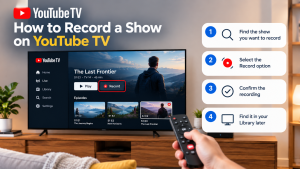

How to Record a Show on YouTube TV
How to Record a Show on YouTube TV Table of Contents Record a YouTube TV show by searching for a program’s title and selecting +
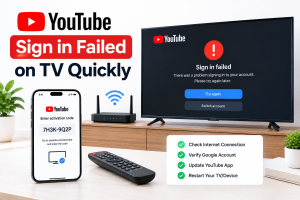
How to Fix YouTube Sign in Failed on TV Quickly
How to Fix YouTube Sign in Failed on TV Quickly Table of Contents If you can’t sign in to youtube on tv, unplug the TV

How to Add NFL RedZone to YouTube TV: A Step-by-Step Guide
How to Add NFL RedZone to YouTube TV: A Step-by-Step Guide Table of Contents Football enthusiasts know that if they do not get the continuous