Ultimate Guide to the YouTube TV App: Features, Setup, and Tips
Table of Contents
Traditional cable setups are quickly becoming a thing of the past. Viewers looking to break free from heavy boxes, hidden fees, and messy cords can find an easy answer right on their screens. To replace cable without losing real-time broadcasts, anyone can simply download and install the youtube tv app.
This application streams major broadcast networks, local news, and live sports directly over the internet to a television, phone, or tablet. It bridges the gap between traditional channel surfing and modern online convenience with zero physical equipment required.
What is the YouTube TV App?
The youtube tv app is a live television streaming application that lets users watch over 100 television channels without a traditional cable contract. Think of it as an all-in-one entertainment hub that brings local news, major sports events, and popular network dramas into a single digital guide. Instead of paying for separate hardware boxes for every room, a user only needs an internet connection and a screen to access live programming.
This platform updates constantly to keep up with user demands. For instance, recent upgrades introduced specialized, budget-friendly subscription plans sorted by themes like sports, news, or family entertainment. This flexibility prevents individuals from paying for massive bundles filled with channels they never actually watch. To get started or troubleshoot activation issues, visit the official activation guide.
Key Features That Make the Application Stand Out
When comparing live streaming options, functionality dictates the overall experience. The application provides several unique tools designed to make everyday viewing effortless.
Limitless Cloud Storage
Traditional recorders fill up quickly, forcing viewers to delete older movies to save new shows. The built-in recording system in this application provides completely limitless storage space. A user can save every football game, morning news broadcast, and evening reality show simultaneously. The system saves these files safely in the cloud for up to nine months, meaning a full hard drive is never an issue.
Watching Multiple Channels at Once
For sports fans tracking two games at the same time, or families following a breaking news event during a live broadcast, the application offers a handy view called multiview. This tool lets a single screen display up to four different live channels at once. Viewers can easily toggle the audio back and forth between the boxes with their remote control, making sure no one misses a big moment.
Shared Access for Large Households
A single membership covers the whole home. The service allows up to six separate profiles under one subscription fee. Each family member gets their own customized home screen, unique viewing history, and private recording library. When a parent records a movie, it stays out of a teenager’s personalized profile completely.
Device Compatibility and Technical Requirements
A major benefit of this platform is its wide availability across different types of hardware. The youtube tv app works seamlessly on a long list of modern electronics, allowing users to watch media inside the house or on the go.
- Smart Televisions: Built-in support is standard on modern screens made by Samsung, LG, Sony, Vizio, and Hisense.
- Streaming Accessories: Plug-in sticks and boxes like Roku, Amazon Fire TV, Apple TV, and Chromecast run the application smoothly.
- Mobile Devices: Free versions are available for download on Apple iOS smartphones and Android mobile devices.
- Gaming Systems: Players can stream directly through PlayStation and Xbox consoles attached to their main living room displays.
Additionally, recent technical updates have phased out background playback on older or less powerful streaming devices to prevent system crashes and ensure smooth video play on newer screens. If you experience performance drops, consult the YouTube TV not working troubleshooting resource.
Maximizing the Experience with Smart Layout Secrets
Navigating a massive list of channels can sometimes feel overwhelming, but a few layout settings make the process effortless. The main interface divides into three primary sections: Library, Home, and Live.
The Home tab uses smart patterns to display what the household usually watches at specific times of the day. If a family always checks the local news at seven in the morning, that specific channel will automatically sit at the top of the Home tab when the television turns on.
Furthermore, the Live tab utilizes smart filters. Instead of scrolling through one hundred rows of media, a viewer can click on headers like “Sports” or “Kids” to instantly hide everything else. The visual layout also includes small pop-up menus that glide smoothly as the remote scrolls, making it easy to see program descriptions without leaving the current show.
Conclusion
The youtube tv app provides a modern, reliable, and incredibly simple path to cutting the cord. By gathering live sports, local updates, and endless cloud recording space into one sleek interface, it takes the hassle out of regular television. Because the software handles the hard work behind the scenes, viewers can skip the confusing hardware setups, long contracts, and unexpected billing surprises of the past. Downloading the software onto a favorite household device is all it takes to enjoy flexible, stress-free entertainment on your own terms.
Frequently Asked Question
Can local broadcast channels be watched on the youtube tv app?
Yes, the application provides local network affiliates like CBS, NBC, ABC, and FOX in most regions. The system uses the location of the device to deliver accurate local news, regional weather reports, and local sports broadcasts.
Does the system require a long-term contract?
No, the service operates on a month-to-month basis. Subscribers pay for a single month at a time and can cancel the service whenever they choose without facing any hidden fees or termination penalties.
What is the ongoing cost of the subscription?
Pricing depends on standard plans and periodic platform promotions. For a breakdown of monthly tiers, optional packages, and hidden broadcast fees, review the current YouTube TV cost guide.
How many screens can stream video simultaneously?
A standard plan allows up to three different devices to stream content at the exact same time. For households that need more screens running at once, an optional upgrade package unlocks unlimited concurrent streams inside the home.
Can out-of-town sports games be viewed while traveling?
Yes, the application functions across the United States. When traveling, a user can watch national networks and live events. However, local channels will temporarily switch to match the specific city the user is currently visiting.
Is a separate cable box needed for every television?
No, physical boxes are not required. As long as a smart television or a basic streaming stick is connected to the internet, the application can be downloaded directly onto that device for free.
What should be done if the app keeps logging out?
Occasional system updates might prompt an automatic sign-out to secure account data. To resolve this, simply follow the on-screen code instructions using a smartphone to log back into the account within seconds.
Can premium movie channels be added to the subscription?
Yes, users can completely customize their channel lineup by purchasing individual YouTube TV add-ons. Popular networks like Max, Paramount with Showtime, and Starz can be integrated directly into the main guide.
Does YouTube Premium cover the cost of this service?
No, they are separate services. A premium video subscription removes ads from regular user-uploaded videos, whereas this application is a separate subscription designed to replace live cable television.
Can recordings be watched when no internet is available?
Offline viewing is available if a subscriber chooses to add the advanced upgrade package. This add-on allows users to download their saved library recordings directly onto mobile phones or tablets for offline travel.

Peter
Related Post
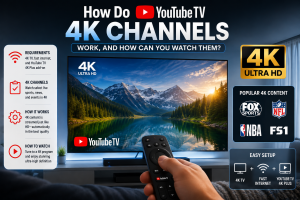

How Do YouTube TV 4K Channels Work, and How Can You Watch Them?
How Do YouTube TV 4K Channels Work, and How Can You Watch Them? Table of Contents Owners of a nice new 4K TV may not
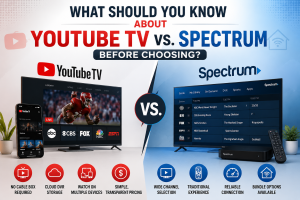
What Should You Know About YouTube TV vs. Spectrum Before Choosing?
What Should You Know About YouTube TV vs. Spectrum Before Choosing? Table of Contents There are two ways to get your TV, and deciding on
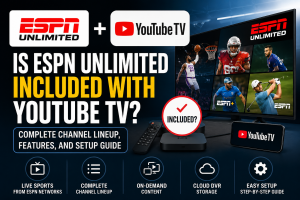
Is ESPN Unlimited Included with YouTube TV? Complete Channel Lineup, Features, and Setup Guide
Is ESPN Unlimited Included with YouTube TV? Complete Channel Lineup, Features, and Setup Guide Table of Contents Sports fans constantly search for the most efficient