Complete Cord Cutting Guide: Master the YouTube TV Disney Setup
Table of Contents
Cable-cutters never seem to have peace of mind when it comes to keeping their beloved local ABC news, family programming, and live sports. This guide will show you how to set up a perfect streaming solution by using the premium integration of YouTube TV’s Disney channels, which enables you to gain access to live local ABC streaming, ESPN networks, Disney Channel, Disney Junior, and Freeform under one subscription.
To do justice to the world of entertainment, we need to find the right balance between the huge DVR space, multiple compatible profiles, and endless channels. We have covered the details of the Disney family of networks, the process of managing Disney’s cloud DVR, and the solutions for handling parental controls that can sync across all supported platforms.
How Does the YouTube TV Disney Channel Lineup Handle Live TV?
The base plan provides a comprehensive selection of channels owned by the major media giant, meaning families do not have to purchase extra add-on packages to keep their favorite networks. Managing your budget is key to smart cord-cutting, so checking the current YouTube TV cost can help you plan your household media expenses. The inclusion of these live feeds covers everything from toddler morning entertainment to late-night sports broadcasts.
Which Specific Live Kids and Family Channels Are Included?
The platform offers the complete trio of traditional linear family networks, which stream live exactly like a classic cable television feed.
- Disney Channel: The flagship network delivers afternoon animated series, teen comedies, and live-action original movies without requiring a separate app login.
- Disney Junior: Tailored specifically for younger toddlers and preschool-aged children, this feed runs educational shows and early morning animated content.
- Disney XD: Focused on action-oriented cartoons, gaming content, and older youth programming, this channel remains accessible around the clock.
What Live Sports and News Networks Are Available?
Beyond youth entertainment, the corporate partnership brings major live athletic events and local broadcast news straight to the streaming interface.
- Local ABC Stations: The service carries local network affiliates across almost every major media market, letting users watch evening news, network primetime dramas, and live weekend specials.
- The ESPN Network Family: Sports fans receive the standard ESPN flagship channel, ESPN2, ESPNews, and ESPNU, covering college football, professional basketball, and daily studio analysis.
- Freeform and National Geographic: Viewers get full access to seasonal holiday movie events on Freeform, alongside documentary-driven programming on National Geographic and Nat Geo Wild.
How to Maximize the Cloud DVR for Animated Series and Movies
One of the strongest technical benefits of moving away from traditional cable boxes is the lack of physical storage constraints when saving broadcast content. The platform utilizes a completely digital backend that changes how families collect their favorite animated franchises.
How Do Unlimited Storage Boundaries Work?
The built-in digital video recorder does not rely on hard drive space, meaning three separate family members can record hundreds of hours of high-definition content simultaneously without running out of room.
- Nine-Month Retention: Once a movie or specific cartoon episode gets recorded from a live broadcast, the file stays active and available in the cloud library for nine full months before expiring.
- Automated Series Recording: Selecting a specific animated series tells the backend system to record every single rerun, new episode, or holiday special across every sister network automatically.
What is the Difference Between Recorded Live TV and On-Demand?
The cloud library often gives viewers two different ways to watch the same exact episode, which drastically changes the viewing experience regarding commercial breaks.
- DVR Playback Controls: Watching a recorded version of a cartoon or movie allows parents to fast-forward right through the standard commercial breaks using the streaming remote control.
- Video On-Demand Rules: If a user selects the Video On-Demand (VOD) version provided directly by the network, the fast-forward button gets locked out, forcing the family to sit through brief advertising blocks.
Setting Up Family Profiles and Customizing Parental Controls
Because the base subscription supports up to six individual accounts under a single household billing umbrella, configuring unique profiles prevents mature content from mixing with toddler watch histories. If you want to see if the overall channel structure and account layout fits your household needs, visiting the main youtvstart.com homepage offers a great overview of the platform layout.
How to Build Dedicated Accounts for Family Members
Every member of the household can link their personal Google account to the main subscription, creating a completely distinct viewing space.
- Isolated Custom Libraries: A child can fill their personal library with cartoons without affecting the main sports alerts or reality television recordings on the parent’s profile.
- Tailored Home Screen Recommendations: The software uses watch histories to suggest similar programming, ensuring a child’s main page focuses on family-friendly items while parents see news and live sports.
How to Lock Down Filtering Options for Younger Viewers
The platform provides native filtering tools directly inside the settings menu to ensure younger users cannot accidentally browse mature primetime dramas or violent movies.
- Enabling Content Filters: Parents can log into a child’s specific sub-profile, enter the main settings cog, and turn on strict viewing filters based on standard television ratings like TV-Y7 or TV-G.
- Restricting Search Capabilities: Turning on these filters hides inappropriate live channels entirely from the custom guide, making it impossible for a child to type in or discover restricted networks.
Troubleshooting Frequent Streaming Bugs and Playback Errors
Even with a robust high-speed home internet connection, streaming live programming can occasionally hit technical snags, resulting in loading wheels or audio syncing issues. If your stream cuts out completely across all your household devices, it might not be your hardware at all; checking for a wider YouTube TV outage can save you time spent tinkering with wires.
How to Resolve the Dreaded Black Screen Loading Glitch
If the screen goes completely dark when launching a live family feed, the issue usually stems from a temporary communication breakdown between the smart device and the streaming servers. If you encounter a persistent frozen image, reading through a guide on YouTube TV not working can provide targeted technical steps.
- Perform a Hard Power Cycle: Unplugging the streaming stick or smart television from the wall outlet for sixty seconds forces the system to clear out temporary hardware memory.
- Check the Local Home Wi-Fi Bands: High-definition live feeds require steady bandwidth, so switching a television or streaming device from a crowded 2.4 GHz network band over to a cleaner 5 GHz band reduces buffering issues.
How to Fix Distorted Audio and Sync Issues During Live Events
When the voices of animated characters do not match their lip movements on screen, the digital audio format is typically processing incorrectly through the external speaker system.
- Toggle the Surround Sound Settings: Users can head into the primary application settings audio menu and disable the Dolby 5.1 surround sound option to see if standard stereo sound fixes the delay.
- Update the Television App Framework: Outdated system software can cause playback bugs, meaning owners should regularly check their device app store to install the latest software patches.
Conclusion
The ease of having the capability to watch disney and other family-friendly content on cloud-based television devices is one of the main reasons many people are cutting the cord. Aside from that, the variety of content that is available is the other major factor that makes this possible. However, there are many other advantages that come with having an integrated Disney channel on your video-on-demand (VOD) service.
Frequently Asked Question
Are Disney Channel, Disney Junior, and Disney XD included in the basic package?
Yes, all three major youth networks come standard inside the main channel lineup without requiring you to buy extra entertainment add-on bundles.
Can you fast-forward through commercials on recorded animated shows?
Yes, if you play the episode directly from your cloud DVR library, you can fast-forward through ads. You cannot skip ads if you are watching the Video On-Demand version.
How many devices can stream live family channels at the same time?
The standard subscription allows up to three separate devices to stream content simultaneously anywhere inside your home network area.
Does this live TV service include a full subscription to the separate Disney+ app?
No, this service provides the live broadcast television channels. Standalone streaming apps like Disney+ require a completely separate monthly subscription and a different app login.
How long do recorded movies and cartoon episodes stay saved in the library?
Every single recording stays stored safely in your cloud library for up to nine months from the day it aired live before the system removes it.
Why is a local ABC station showing a temporary blackout screen during a game?
Blackouts happen when local broadcast rights or specific sports leagues restrict streaming providers from showing an event in a certain geographic zip code.
Can you restrict a child’s profile from seeing mature channels?
built-in viewing filters inside any sub-profile to block shows and live networks based on age-restricted television ratings.
What internet speed is necessary to stream live family networks without buffering?
A minimum steady download speed of 13 Mbps is highly recommended to stream high-definition live video smoothly on a single television or tablet.
Can family members watch live channels when traveling away from home?
Yes, the service works perfectly on mobile phones, laptops, and tablets across the country, provided the device checks into the home area once every three months.
How do you add an upcoming animated movie to your recording queue?
You simply use the built-in search tool to find the movie title, click the small plus sign icon next to it, and the system will record it the next time it airs.

Peter
Related Post

Does YouTube TV Have Big Ten Network? Full Channel & Streaming Guide
Does YouTube TV Have Big Ten Network? Full Channel & Streaming Guide Table of Contents So does YouTube TV have the Big Ten Network? In
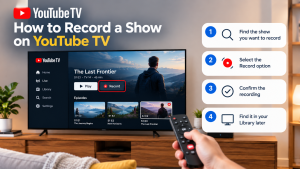

How to Record a Show on YouTube TV
How to Record a Show on YouTube TV Table of Contents Record a YouTube TV show by searching for a program’s title and selecting +
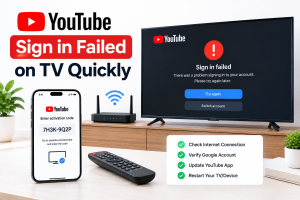
How to Fix YouTube Sign in Failed on TV Quickly
How to Fix YouTube Sign in Failed on TV Quickly Table of Contents If you can’t sign in to youtube on tv, unplug the TV