Understanding YouTube TV Sharing Rules: What Users Need to Know
Table of Contents
Ever tried firing up YouTube TV on your cousin’s TV, only to get hit with that annoying “not in your household” error? It’s a total buzzkill—streams freeze, error messages pop up, and suddenly your big game night is toast. Turns out, YouTube TV sharing rules are there to sort this mess, laying out clear lines on who’s in and who’s out, so nobody hogs the bandwidth unfairly. They make sharing straightforward, cutting down on login hassles and surprise cutoffs.
These days, with everyone glued to streaming, YouTube TV feels like a must-have in living rooms everywhere. But figuring out the sharing side? It’s like trying to crack a safe sometimes. YouTube TV sharing rules spell out how to loop in family or roommates without tripping alarms, striking that sweet spot between easy access and keeping the service solid. From juggling devices at home to letting relatives tune in from afar, getting a handle on these rules saves you from headaches and account warnings.
What Are YouTube TV Sharing Rules?
YouTube TV sharing rules are basically the rulebook for how one account can cover multiple watchers without chaos. Everything hinges on your “household”—that main spot where you actually live and stream most. Folks trip up here all the time, thinking they can share freely, but nailing these limits opens the door to smooth, no-drama viewing for everyone approved.
Defining the Household in YouTube TV Sharing Rules
Think of the household as the star of the show in YouTube TV sharing rules. It’s your actual home address, not some random Wi-Fi spot—YouTube locks it in with location checks on your phone or whatever. Picture this: You log in from a buddy’s place or a rental cabin, and bam, it asks for proof you’re legit.
Official Limits: Streams, Devices, and Locations
To balance generosity with control, the platform sets specific thresholds. Data from user forums shows that nearly 70% of complaints stem from a misunderstanding of these limits, often resolved by a proper YouTube TV membership setup.
1. Simultaneous Streams and Device Caps
A standard plan allows three simultaneous streams within the household. This means Mom can watch live news in the living room, Dad can stream a game on his tablet, and a teen can use their phone—all at once. However, the moment a fourth person attempts to log in, they will be blocked until one session ends.
- Device Registration: You can register up to five household devices at a time.
- Management: It is vital to remove old devices, like a smart TV gathering dust in the garage, to make room for a new Roku or phone.
- The Gaming Console Glitch: Be aware that consoles like PlayStation often register multiple profiles, which can eat up your slots quickly.
2. Location-Based Restrictions
About 90% of your access is tied to your verified household location. If you find your service interrupted while traveling, it might be due to a YouTube TV outage or, more likely, a location check-in requirement. You must confirm your presence at your home base via a mobile device periodically to keep the “away” access active.
Setting Up Your Account for Success
Proper setup ensures the rules work in your favor rather than against you.
Step-by-Step Household Verification
- Open the app on a mobile device while physically at home.
- Navigate to Settings > Location.
- Follow the prompts to verify via GPS and IP.
- If you encounter issues during this process, it might seem like YouTube TV not working, but usually, a quick GPS refresh fixes the lag.
Creating Family Profiles
Personalization is key to a good experience. You can create up to six profiles per account. This allows you to track watch history separately and set up “Kids’ Modes” with strict filters. This is also a great time to compare your options, such as looking into YouTube Premium vs YouTube TV to see which service offers the specific features your family needs.
Common Violations and Their Consequences
Breaches often happen innocently, but enforcement is swift. Awareness is your best defense against account suspension.
- Password Sharing: Handing credentials to friends outside your home is the top violation. The system detects this via IP mismatches.
- Commercial Use: Streaming in offices or gyms is prohibited. Commercial IPs are often blocked entirely.
- Ignoring Limits: Constantly hitting the stream cap builds a “violation history” in the system logs.
The Penalty Tier System
Tier | Penalty | Duration |
Tier 1 | Warning & Email Alert | 24 Hours |
Tier 2 | Household Lock (Single Device) | 1 Week |
Tier 3 | Account Suspension | 30 Days |
Tier 4 | Permanent Ban | Indefinite |
Troubleshooting and Pro Tips
If you experience a YouTube TV black screen or other YouTube TV problems today, don’t panic. Most issues are related to local connectivity or verification glitches.
Advanced Features to Maximize Value
If your family is too large for the three-stream limit, consider YouTube TV add-ons. The 4K Plus add-on, for example, can expand your stream limit on your home Wi-Fi.
Best Practices for Travelers
- Check-in: Always open the app at home before leaving for a long trip.
- Downloads: Use offline viewing for international flights, as licensing rules cause blackouts outside the US.
- Audits: Review your “Registered Devices” list weekly to ensure no unauthorized gadgets are clinging to your account.
By staying proactive and respecting the household boundaries, you can enjoy a seamless, high-quality streaming experience without the fear of sudden lockouts. For more detailed guides and updates, visit youtvstart.com to stay ahead of any policy changes.
Conclusion
YouTube TV sharing rules provide a structured path to enjoyable, shared viewing without the pitfalls of overuse or violations. By verifying households accurately, managing devices and profiles wisely, and respecting stream limits, users unlock the full potential of their subscription. These guidelines evolve to protect everyone involved, ensuring high-quality access for legitimate households. Stay informed, monitor usage, and adjust as life changes—compliance brings peace of mind and uninterrupted entertainment. Whether for family movie nights or solo binges, embracing YouTube TV sharing rules turns potential frustrations into effortless streaming harmony.
Frequently Asked Question
What exactly defines a household under YouTube TV sharing rules?
A household is the single residential address where the account holder primarily resides, verified via mobile GPS, IP, and Wi-Fi data. It supports multiple devices and profiles within that location but excludes secondary homes or non-residents.
How many devices can be used with YouTube TV sharing rules?
Up to five devices per household, including TVs, phones, tablets, and computers. Manage them in settings to remove inactive ones and stay compliant.
Can you stream YouTube TV outside your household under sharing rules?
Yes, temporarily with a mobile check-in. Prolonged access (over two weeks) requires returning home for re-verification to adhere to YouTube TV sharing rules.
What happens if you exceed the three-stream limit in sharing rules?
The fourth stream blocks automatically until one ends. YouTube TV sharing rules enforce this to maintain service quality for all users.
Are profiles included in YouTube TV sharing rules limits?
Profiles count toward stream and household limits but allow personalized viewing for up to six users without extra credentials.
How does YouTube TV sharing rules handle college students or roommates?
They typically require separate accounts, as dorms or shared spaces don’t qualify as one household. Password sharing risks suspension.
Can you share YouTube TV internationally under sharing rules?
No, content licenses restrict access outside the US. Use downloads or local services instead.
What are the penalties for violating YouTube TV sharing rules?
Warnings first, then temporary locks, suspensions up to 30 days, or permanent bans for repeat offenses.
How do you verify or change your household location?
Use the app at the new address with mobile data for GPS confirmation, following YouTube TV sharing rules prompts.
Does upgrading to 4K Plus affect YouTube TV sharing rules?
It increases streams to five but keeps household and device limits the same.

Peter
Related Post

How to Watch the NFL Game Tonight: Complete Live Stream & Channel Guide
How to Watch the NFL Game Tonight: Complete Live Stream & Channel Guide Table of Contents TL;DR To figure out how to watch NFL game

Does YouTube TV Have Big Ten Network? Full Channel & Streaming Guide
Does YouTube TV Have Big Ten Network? Full Channel & Streaming Guide Table of Contents So does YouTube TV have the Big Ten Network? In
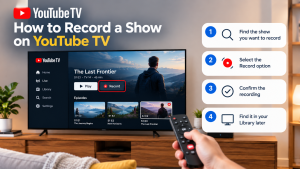

How to Record a Show on YouTube TV
How to Record a Show on YouTube TV Table of Contents Record a YouTube TV show by searching for a program’s title and selecting +