News

Does YouTube TV Have Big Ten Network? Full Channel & Streaming Guide
Does YouTube TV Have Big Ten Network? Full Channel & Streaming Guide Table of Contents So does YouTube TV have the Big Ten Network? In
Having a hard time deleting a YouTube account on a smart TV? This is a problem encountered by many users when they use a shared device, change TVs or observe the presence of unwanted access even after logging in. Depending on the brand, this process takes different steps but usually involves an app setting or remote control to make sure that privacy and security are not complicated. This is a guide on how to cleanly sign out, how to overcome the frustrations associated with not being able to disconnect an account or having a TV that remains connected even when you are away.
With Samsung, LG, Sony, Android TV, Roku, Fire TV, and other options, users can be back in control within minutes by following brand-specific instructions or phone-based remedies. No technical knowledge is needed and the techniques will eliminate future synchronization problems with watch history or suggestions. The following detailed instructions do away with guesswork to have a hassle-free experience.
Smart TVs are built to maintain “persistent sessions.” This means the YouTube app links deeply with your Google account so that you don’t have to re-enter passwords every time you sit down to watch. While great for your living room, this becomes a liability in:
Core Benefits of Manual Removal
Removing an account immediately wipes your personalized recommendations and search history from the device. This is particularly vital for parents who want to ensure their children don’t accidentally stumble upon mature content tied to an adult profile.
Since your YouTube login is essentially your Google login, an active session on a TV can sometimes grant access to broader ecosystem data, including Google Home settings or linked payment methods. Signing out severs this connection and removes the device from your Google “Active Sessions” list.
Old profile data can occasionally become corrupted, leading to:
Smart TVs are conveniently made, and this frequently implies that they do not wish to relinquish. Logins can be synchronized throughout the ecosystem, including the Play Store and Voice Assistant. In some cases, menu layouts can be shifted by a mere update of the firmware and the Sign out button will be invisible. This causes profile ghosting in common places such as gyms or rentals, where the recommendations may be seen by strangers several weeks later.
Before you dive in, ensure your remote is charged and your Wi-Fi is stable. If you’re worried about the financial side of your streaming, checking your youtube tv membership status beforehand helps you know exactly which profiles need to be scrubbed.
Samsung’s deep integration with Bixby and its “Multi-View” features can sometimes complicate things.
LG uses a “Magic Remote” pointer, which makes navigation snappy but requires a steady hand.
Since these TVs run on Google’s own software, the link is often tighter.
These streaming sticks are the most common way to upgrade an older TV.
If you’ve already left the hotel or sold the TV and realized you’re still logged in, don’t panic. You can sever the link remotely:
Issue | Quick Fix |
Won’t the app open? | Check if youtube tv not working is a site-wide issue or just your local cache. |
Too many ads? | Review youtube premium vs youtube tv to see which service covers your specific device. |
Hidden Costs? | Keep an eye on YouTube TV cost and any youtube tv add-ons you might have forgotten to cancel. |
Removing a YouTube account from a smart TV proves straightforward once users master brand-specific menus or remote management tools. These steps not only enhance privacy and resolve glitches but also optimize device performance for smoother streaming ahead. Regular audits and guest mode habits prevent recurring headaches, empowering households to enjoy personalized yet secure entertainment. Families, professionals, and casual viewers alike benefit from clean sign-outs that eliminate data trails without erasing cloud histories. Implement these practices today for hassle-free control over every screen.
No, simple power cycles fail to sign out accounts because sessions are stored deeply in app memory and Google tokens, requiring manual menu navigation or remote unlinking for complete removal.
Yes, through Google account security pages or the YouTube app on phones/computers under Manage Devices, instantly severing ties across networks, even if the TV sits offline.
Lingering cache and local storage cause ghosts—clear app data fully via TV settings, then restart to purge everything and reveal the neutral home screen.
Completely safe, as selective profile unlinks protect individual privacy without disrupting others’ access or shared subscriptions on the same device.
Firmware or app lags hide it—update YouTube via store, refresh system software, or fallback to remote Google device management for guaranteed results.
No impact on cloud-stored history, subscriptions, or playlists; only the device link breaks, keeping all data safe for logins elsewhere.
Unlink each via the accounts list sequentially, then enable guest mode to block automatic merges and maintain separation moving forward.
Absolutely, server-side revocation takes effect immediately, disconnecting fully once the TV reconnects to the internet later.
Yes, clearing all data or deleting/reinstalling the app ensures a blank slate, preventing any automatic profile restoration.
Routine checks spot forgotten logins, block unauthorized access from old devices, and uphold ongoing security hygiene across your Google ecosystem.

Does YouTube TV Have Big Ten Network? Full Channel & Streaming Guide Table of Contents So does YouTube TV have the Big Ten Network? In
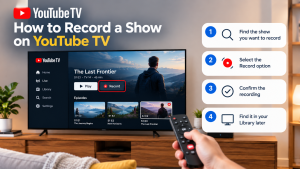

How to Record a Show on YouTube TV Table of Contents Record a YouTube TV show by searching for a program’s title and selecting +
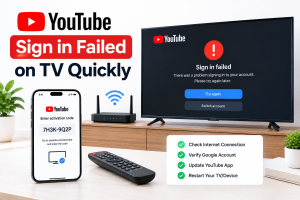
How to Fix YouTube Sign in Failed on TV Quickly Table of Contents If you can’t sign in to youtube on tv, unplug the TV