Why Do Users Have to Sign into YouTube TV Every Time? Quick Fixes Inside
Table of Contents
Picture this: the big game kicks off, popcorn’s ready, but YouTube TV hits pause with yet another sign-in screen. Why do users have to sign into YouTube TV every time, even after typing the right password? It feels like a bad joke—session timeouts, glitchy apps, or sneaky account mix-ups turn binge nights into login marathons.
Folks everywhere grumble about it on forums and family chats. Good news: most fixes take under five minutes, whether on Roku, phones, or laptops. This no-fluff guide unpacks real reasons and hands-on steps to kill the cycle, so streaming flows smoothly again without the hassle.
Common Causes Behind Repeated Sign-Ins
Every day slip-ups spark these endless prompts, like a finicky door that won’t stay latched. Brand Accounts clash hard—YouTube TV just doesn’t play nice with them, kicking users out the second they load up.
- Account Drama: Multiple Google profiles or business accounts trip wires, forcing fresh logins every pop.
- App Growing Pains: Old versions forget sessions faster than a goldfish, especially post-2025 updates. If you’re experiencing a YouTube TV outage, authentication servers are often the first to struggle.
- Cache Clogs: Junk files pile up, corrupting login memory over weeks. This is one of the most common YouTube TV problems today.
Spotty Wi-Fi acts like a grumpy bouncer, demanding ID checks mid-show. Power-saving tricks on devices sneakily log out to save juice, leaving screens blank.
On shared TVs, kids or guests muddy the waters with their logins. Browser shields wipe cookies like clockwork, turning desktops into repeat offenders. Nail these, and half the battle’s won.
Step-by-Step Fixes for Smart TVs
Roku and Fire TV owners swear by the unplug trick—it’s like giving the brain a coffee break. Yank the cord for two minutes flat; glitches vanish 9 times out of 10.
1. Power Cycle Magic:
- Unplug the TV, wait the full two minutes (set a timer!).
- Plug back in, fire up YouTube TV—bam, often fixed on the spot.
- No settings lost, pure refresh.
Dive into the apps menu next: Settings > Apps > YouTube TV > Clear Cache, then Clear Data. It’s messy, but wipes slate clean; one login sticks after.
Patch hunting time—app stores push 2026 fixes for exactly this nonsense. Stubborn cases? Delete and redownload; fresh installs cure deep-rooted bugs.
Bonus: crank sleep timers so the TV doesn’t doze off mid-session. Users rave about night-and-day difference.
2. Mobile Device Troubleshooting
Phones play dirty with battery nannies that murder apps in sleep. Android folks, hunt Settings > Apps > YouTube TV > Battery > slap “Unrestricted” on it.
Battery Boss Takedown:
- iOS kin: Low Power Mode off, especially evenings.
- Tap your Avatar > pick the paid account. Users often forget this when comparing YouTube Premium vs YouTube TV across different devices.
- Background refresh on full blast.
Storage sweep echoes TVs: Clear Cache/Data, reboot hard. Google Play Services craves updates too; outdated ones botch sign-ins badly.
Multi-profile chaos? Avatar tap > pick the paid account > sync city. Folks forget this, wasting hours—don’t be them.
3. Browser and Computer Solutions
Chrome warriors, Ctrl+Shift+Delete your savior—nuke Cookies and Cache for last month. Reload, tick “Stay signed in,” watch magic.
Cookie Purge Drill:
- Incognito trial—if it glides, blame extensions.
- Axe ad blockers, VPNs for an hour.
- Firefox/Edge: Privacy panel mirrors the move.
For network wobbles, a router revival is best. Unplug it for 30 seconds and reconnect. If you’ve been testing a new plan, such as the YouTube TV Spanish Plan, a fresh network connection ensures your regional permissions are updated.
4. Network and Account Checks
Wi-Fi wobbles fool the system into “new device” mode. Speed test demands 25 Mbps down—Ethernet’s the hero for flakes.
Router Revival:
- 30-second unplug, reconnect crew.
- Static IP for TV keeps identity steady.
- Ditch mesh iffy-ness; wired rules.
Family shares snag household passes. Web dashboard approves gear, boots strangers. Password redo flushes old tokens—recovery page leads easily.
2FA app passwords fit TVs like gloves—no SMS headaches.
5. Advanced Fixes for Persistent Problems
VPNs lie about location, sparking geo-fits. U.S. server swap or full off does it. Samsung/LG firmware from 2026 zaps auth gremlins.
Nuclear Options:
- Firmware hunt: Settings > Update.
- Factory reset: Backup first, 20-min rebuild.
- Worth it for chronic pains.
Support’s ace card—model deets, screenshots fly, chats zap 80% pronto.
Issue Type | Quick Fix | Device Types | Success Rate |
Cache Buildup | Clear cache/data | All | 70% |
Outdated App | Update/reinstall | Mobile/TV | 85% |
Account Mismatch | Switch profiles | All | 90% |
Network Glitch | Restart router | All | 60% |
Browser Cookies | Wipe and stay signed | Desktop | 75% |
VPN Interference | Disable or local server | All | 65% |
Preventing Future Sign-In Loops
Smart habits lock it down: home screen pins, long timeouts, weekly Google activity sweeps. Auto-updates on autopilot, same Wi-Fi blanket, Family Link for clan control. Sub checks catch pauses—smooth operator status.
Conclusion
Constant YouTube TV sign-ins arise from solvable account, device, and network snags. Targeted resets and prevention tactics deliver reliable streaming across gear. Users reclaim hassle-free live TV, focusing on content over credentials. Regular upkeep ensures entertainment flows without a hitch.
Frequently Asked Question
Why does YouTube TV log out after closing the app?
Sessions expire from cache buildup or power-saving kills. Clear app data fully, disable battery optimization on Android/iOS, and restart devices—persistence kicks in after one solid test cycle.
Does using multiple Google Accounts cause sign-in loops?
Absolutely, as YouTube TV binds to one primary profile. Switch to the subscription account via avatar menu, sign out others, and sync settings for conflict-free access.
How to stop sign-ins on Roku devices?
Power cycle first, then clear app cache/data in settings. Update software via channel store, reinstall if stubborn—users see fixes in under 10 minutes routinely.
Is a VPN triggering my YouTube TV login prompts?
Frequently, due to geo-mismatches. Turn it off completely or select a U.S. server matching your plan; test streams immediately confirm relief.
What if clearing the cache doesn't fix repeated sign-ins?
Update apps/OS next, reset network settings, and verify household approvals online. Device firmware patches from 2026 often seal the deal—escalate to support if needed.
Can Brand Accounts work with YouTube TV?
No compatibility exists; they force logouts. Create/switch to a personal Google Account, link the subscription, and relaunch—all devices align post-change.
Why does YouTube TV demand a sign-in on new devices?
Household rules require manager approval. Log in via web settings to authorize, revoke extras—smooths future adds without prompts.
Does weak Wi-Fi cause constant logouts?
Yes, unstable signals trigger re-auths. Speed test to 25 Mbps, Ethernet cable up, router reboot—streams stabilize instantly for most.
How to fix browser sign-in issues on PC?
Purge cookies/cache via Ctrl+Shift+Delete, enable “Stay signed in,” pause extensions/VPNs. Incognito success points to blockers—purge them for normal mode bliss.
When to contact YouTube TV support?
Basic fixes failing signals backend help. Gather model/app version/error screenshots; live chat or help forms resolve 80% fast with precise tweaks.

Peter
Related Post


How to Watch the NFL Game Tonight: Complete Live Stream & Channel Guide
How to Watch the NFL Game Tonight: Complete Live Stream & Channel Guide Table of Contents TL;DR To figure out how to watch NFL game

Does YouTube TV Have Big Ten Network? Full Channel & Streaming Guide
Does YouTube TV Have Big Ten Network? Full Channel & Streaming Guide Table of Contents So does YouTube TV have the Big Ten Network? In

How to Record a Show on YouTube TV
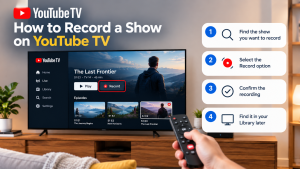
How to Record a Show on YouTube TV Table of Contents Record a YouTube TV show by searching for a program’s title and selecting +