News

Does YouTube TV Have Big Ten Network? Full Channel & Streaming Guide
Does YouTube TV Have Big Ten Network? Full Channel & Streaming Guide Table of Contents So does YouTube TV have the Big Ten Network? In
YouTube TV viewers will frequently scratch their heads as to why ABC is not on YouTube TV, particularly when a favorite series disappears in the middle of the season. Before going into the deep sea, we shall deal with the most frequently occurring offender: the internet woes. At speeds under 5 Mbps in download speed or with excessive latency due to a weak Wi-Fi signal, YouTube TV may not load the ABC at all, but within a few seconds, a restart of your router, or a switch to wired Ethernet, can fix this. Buffering icons and error messages such as “Something went wrong” are screamers that are more indicative of connectivity problems and not a lack of channels. When your web connection finally comes back to life, however, you find out what is really causing the problem: carriage wars, local outages and adjustments to lineups that leave millions of people guessing.
This guide dissects it all, covering every facet of why ABC may not be in your YouTube TV package. Stemming from contract wars between streaming giants and broadcasters to clever location-based blocks, readers will find practical solutions and long-term solutions.
YouTube TV is also offering an impressive number of channels more than 100, but ABC often dominates the list of complaints about missing channels. Disney, the owner of ABC, and other broadcasters are negotiating hard with streaming services regarding carriage fees, or those monthly payments that ensure channels run.
Once the negotiations come to a halt, ABC goes off the air overnight, causing a great deal of dismay. The local deals introduce an extra layer of regional sports networks associated with ABC affiliates, where availability is determined by local deals. A complete blackout can be simulated by device glitches, expired applications, or even billing glitches. This part explores each trigger, supported by trends observed in user forums and updates to services.
The most common reason for a sudden, nationwide disappearance of ABC is a carriage dispute. These are high-stakes negotiations between Google (YouTube TV) and Disney (which owns ABC).
If your friends in New York have ABC but you don’t in Atlanta, you’re likely facing a Local Affiliate Dispute or a Regional Blackout.
Not every ABC station is owned by Disney. Many are owned by independent groups (like Sinclair or Nexstar). If YouTube TV’s deal with a specific station owner lapses, that specific local channel disappears even if the national Disney deal is active.
ABC often carries major sporting events (NBA, NFL, College Football). Due to broadcasting rights:
Sometimes the issue isn’t corporate greed; it’s just bad code. If ABC is missing on only one device, it’s likely one of the many YouTube TV problems today related to software.
If you’re tired of the “will they, won’t they” drama between YouTube TV and ABC, here is how the competition stacks up:
Service | ABC Availability | Starting Price | Best Feature |
Hulu + Live TV | Excellent (Owned by Disney) | $77 | Includes Disney+/ESPN+ |
Fubo | Most Markets | $80 | Best for sports fans |
DirecTV Stream | Nationwide | $77 | Familiar, cable-like feel |
Digital Antenna | Always Available | $30 (One-time) | No monthly fees, 1080p HD |
The single best way to “humanize” your TV experience and stop stressing over carriage disputes is a Digital Antenna.
Even when YouTube TV and Disney are fighting, ABC broadcasts over the air for free. By plugging a $30 antenna into the back of your TV, you get ABC, NBC, CBS, and FOX in uncompressed HD. It’s the ultimate insurance policy against corporate greed.
Viewers grappling with why ABC isn’t on YouTube TV discover a mix of unavoidable realities and easy wins. Carriage disputes and regional quirks dominate headlines, but most disappearances trace back to quick fixes like internet tweaks, app refreshes, or lineup rescans. Historical patterns show these hiccups peak during high-stakes seasons, yet YouTube TV’s core strengths—unlimited DVR, multiview magic, and competitive pricing—keep millions hooked despite the drama.
ABC availability ties directly to local affiliate agreements and your Designated Market Area (DMA). Major cities like New York or Los Angeles usually have it, but rural zip codes might face restrictions due to distant signal rules or uncontracted stations. Go to YouTube TV settings, update your home area precisely, and rescan—many users report instant fixes this way.
Carriage disputes average 3-7 days, often resolving just before big events like the Oscars or NFL playoffs to minimize backlash. Sports-related blackouts can stretch 1-2 weeks during seasons, but YouTube TV sends email alerts with ETAs based on negotiation progress.
Absolutely—speeds under 5 Mbps trigger loading failures that look like channel removal. Run a speed test, switch to Ethernet, and restart your modem/router sequence. This resolves 40% of “missing ABC” complaints without further tweaks.
VPNs often fail because YouTube TV detects and blocks spoofed IPs, plus it breaches service terms risking account suspension. Better bets include official troubleshooting or free antenna options for locals.
Yes, across 99% of US markets in the $73 base plan, covering most O&O stations and affiliates. Temporary glitches from billing or add-ons (like 4K Plus) can hide it—verify your lineup in the web dashboard.
Broadcasters enforce blackouts within 75 miles of stadiums to boost ticket sales, honoring NFL/NBA rules. ABC’s exclusive slots for Monday Night Football amplify this—check game-day status for your area.
Watch for in-app banners, email notifications, or outage trackers from user communities. Google “YouTube TV ABC status” for real-time maps showing affected regions.
Frequently, stale app versions hold outdated channel data. On Roku or Fire TV, check app stores for updates, clear cache, and relaunch. This combo works for 60% of device-specific issues.
Yes, during verified carriage disputes, chat support issues prorated credits (e.g., $5-10/day). Document screenshots and reference outage announcements for faster approvals.
Hulu + Live TV ($77/month) bundles ABC nationwide with Disney perks like next-day Hulu episodes. It rarely blacks out due to ownership synergies—perfect for “Grey’s Anatomy” fans.

Does YouTube TV Have Big Ten Network? Full Channel & Streaming Guide Table of Contents So does YouTube TV have the Big Ten Network? In
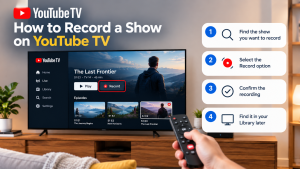

How to Record a Show on YouTube TV Table of Contents Record a YouTube TV show by searching for a program’s title and selecting +
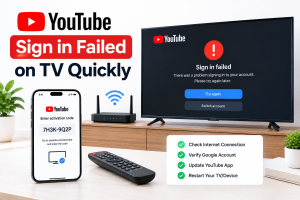
How to Fix YouTube Sign in Failed on TV Quickly Table of Contents If you can’t sign in to youtube on tv, unplug the TV