Frontier YouTube TV: Complete Guide to Bundles, Pricing, and Setup
Table of Contents
How hard do you think it is to find an incredibly fast internet connection and also one of those great live streaming plans that don’t require crazy restrictive cables?
If you’re using broadband internet (like everyone should be), trying to get some ultra-fast fiber data has its challenges. And when it comes to finding good bundles like these two things above? It’s way too much work for people who need a reliable streamer and connection at their home.
What exactly is the Frontier YouTube TV partnership?
For years, the company phased out traditional cable box setups and focused solely on fiber optic internet delivery. However, to provide a complete home entertainment offering, Frontier has now decided to partner with YouTube TV – that will be the primary video service provider for them.
Thanks to the partnership, all new and existing Frontier internet subscribers get the opportunity to sign-up to YouTube TV via Frontier and also get a special promo discount rate. Unlike the current setup where you have to pay separately from your streamer provider and then do monthly billing yourself, here it’s an integrated bill that shows your streaming costs directly on the monthly Frontier statement along with account details.
Plan Pricing and First-Year Discounts
Understanding the exact cost structure helps households evaluate their overall monthly budget.
- Standard Base Rate: YouTube TV normally costs $82.99 per month plus applicable taxes.
- Frontier Promotional Discount: Eligible Frontier customers receive a $10 monthly discount for their first 12 months.
- Discounted Rate: During the promotional period, the base streaming package drops to $72.99 per month plus taxes.
- Total Annual Savings: Eligible users save $120 over their first year of service.
Because there are no annual contracts, subscribers retain the freedom to change or cancel their service at any point without facing early termination penalties. Viewers evaluating total service costs can check details on standard YouTube TV cost structures, or read about why is YouTube TV so expensive.
Key Features Included in the Subscription
Combining fast fiber internet with digital streaming delivers modern viewing features across every room in the home.
Unlimited Cloud DVR
Subscribers can record unlimited live broadcasts, including games, series, and local news. Recorded files store safely in the cloud for up to nine months without taking up physical disk space or requiring external hardware rentals.
Household Profiles and Streams
Accounts support up to six individual user profiles, allowing family members to keep customized watch lists and personal DVR collections. Up to three separate devices can stream content simultaneously under a single household account. Anyone managing account settings can learn more about configuring their primary YouTube TV membership.
Multi-View and Key Plays
Sports enthusiasts can watch up to four live events at once on supported smart televisions using the native multi-view feature. Viewers tuning in late can review real-time visual highlights using the Key Plays view before jumping straight to the live broadcast.
Live Channel Availability and Regional Networks
The standard live lineup includes over 100 popular channels covering local broadcasts, news, entertainment, and sports.
- Local Networks: Live local channels including ABC, CBS, FOX, and NBC, dependent on home region location.
- Sports Programming: Complete access to national channels such as ESPN, ESPN2, ESPNU, FS1, FS2, NBA TV, SEC Network, and Golf Channel.
- News Channels: Round-the-clock news coverage from CNN, MSNBC, Fox News, BBC News, and CNBC.
- Family and Entertainment: Popular cable favorites like Disney Channel, Nickelodeon, HGTV, Food Network, TBS, TNT, FX, and Bravo.
- Premium Add-Ons: Viewers looking for specialized programming can browse available YouTube TV add-ons or explore options like the dedicated YouTube TV Spanish plan.
How to Set Up and Activate the Service
Setting up your subscription takes just a few straight steps.
- Verify Eligibility: Confirm active Frontier broadband internet service at your address. Existing active YouTube TV direct accounts must be linked or allowed to expire before claimed through Frontier promotional links.
- Order the Bundle: Request the YouTube TV add-on during internet setup online or by calling Frontier customer service directly.
- Claim Activation Link: Open the official activation email sent by Frontier and log in with your primary Google account.
- Install App on Devices: Download the YouTube TV application onto preferred smart TVs, mobile phones, tablets, or media players like Apple TV, Roku, or Amazon Fire Stick.
- Start Streaming: Sign in with the linked Google account to start viewing live streams immediately. New subscribers testing out the platform can learn how to cancel YouTube TV free trial before converting to paid billing.
Supported Devices
The service works seamlessly on virtually all modern connected devices without requiring proprietary cable boxes.
- Smart TVs: Samsung, LG, Vizio, Android TV, and Google TV models.
- Streaming Players: Roku, Amazon Fire TV, Apple TV, Chromecast, and Nvidia Shield.
- Mobile & Computers: iOS devices, Android smartphones, iPads, and standard desktop web browsers.
- Gaming Consoles: PlayStation and Xbox systems.
Conclusion
Pairing your Frontier fiber optic internet connection with a YouTube TV plan means you can enjoy the best of both worlds without paying rental equipment fees or being locked into long-term contracts. Plus, thanks to our $120 first year promotional discount you’ll be saving big on your monthly expenses.
With its ultra-fast internet speeds, unlimited cloud DVR recording capabilities, and over 100 live channels streaming seamlessly across all your favorite devices – this setup will ensure that everyone in your house gets an awesome watching experience!
Frequently Asked Question
Does Frontier offer free YouTube TV?
No, YouTube TV is an add-on you pay for. But, you get a $10 a month discount for your first 12 months.
Are current YouTube TV customers eligible for the Frontier deal?
Existing YouTube TV subscriptions billed directly through Google will not be able to transfer. You will need to cancel you direct billing or link during signup through Frontier customer service.
How do I be charged with this package?
YouTube TV bill charges are reflected on your Frontier monthly bill as account service credits & charges.
Is there an annual contract required for YouTube TV on Frontier?
No, there are no annual contracts. The subscription is paid monthly in advance and can be canceled anytime.
What Internet speeds are recommended for optimal streaming?
Frontier Fiber speeds starting at 500 Mbps easily handle multiple simultaneous HD and 4K streams across multiple devices.
Do I need a set-top cable box to watch channels?
No physical cable box is required. Live broadcasts stream through the official application on smart TVs and mobile devices.
How many devices can stream at the same time?
Standard accounts permit up to three simultaneous streams across separate devices under one household.
Are there local broadcast network channels?
Live local broadcasting networks including ABC, CBS, FOX & NBC will be added as per your home zip code location.
What happens to my recordings when you cancel my subscription?
Your cloud DVR recordings will stay there for 9 months if you keep your account active. They’ll expire based on our standard platform retention policies when you cancel.
Can I watch out of market sports games?
This is dictated by national broadcasts or if they’re available via an optional add-on (like NFL Sunday Ticket). You could purchase those services along with your basic package.

Peter
Related Post

YouTube TV Veteran Discount: Savings, Verification, and Features
YouTube TV Veteran Discount: Savings, Verification, and Features Table of Contents Popular And Cost-Effective Ways to Watch Live TV, Local News, And College Sports Cost-saving
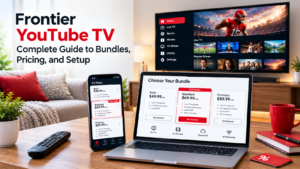
Frontier YouTube TV: Complete Guide to Bundles, Pricing, and Setup
Frontier YouTube TV: Complete Guide to Bundles, Pricing, and Setup Table of Contents How hard do you think it is to find an incredibly fast
Everything You Need to Know About ESPN2 on YouTube TV Plans, Pricing, and Viewing Features
Everything You Need to Know About ESPN2 on YouTube TV Plans, Pricing, and Viewing Features Table of Contents Do you need some guidance on how