The Ultimate Guide to YouTube TV Promo Codes, Discounts, and Savings
Table of Contents
While once it was all about dropping the cable bill, the cost of live TV streaming over the years has continuously risen. The one thing that YouTube TV has going for it is that its streams are pretty reliable, the channel lineup is pretty solid, and it offers unlimited cloud DVR storage. However, it is not necessary to pay top dollar right from the start.
If you’re interested in giving the service a trial run, or you’re looking to save some serious cash on your monthly bill, understanding how to take advantage of the YouTube TV promo will help save you money from the start. This is a list of all the deals, base rates, additional add-on benefits, and how to take advantage of each discount.
What Discounts and Promotional Offers Can New Subscribers Claim?
YouTube TV frequently switches promotional videos for registration for new and existing users. Most of these are applied automatically when you sign up on the official site, rather than having to search for long alphanumeric discount codes.
Standard Base Plan Introductory Deal (Temporary)
- The Offer: New subscribers can enjoy $15 off per month for the first 3 months.
- The Savings: You’ll save $45 on the price of this Base Plan, which is $82.99/month for the first 90 days.
Deep-Discount Promotional Tiers
- The Offers: Depending on any current seasonal discounts, eligible accounts receive a deeper discount of $33 per month for the first 2 or 3 months.
- The Savings: This brings the entry cost down to $49.99/month early on and leaves enough cash in your pocket to enjoy the promotion.
Free Trial Extensions & Instant Previews
10-Day Free Trial: Standard account sign-ups come with a risk-free 10-day trial window so you can test out the channel guide, check your local station coverage, and configure your DVR list.
20-Minute Instant Preview: If you just want to verify which local channels are available without typing in credit card details or making a profile, YouTube TV lets you run a quick 20-minute web preview.
Dedicated Sports Plan & Bundle Savings
- Sports Plan Discount: For viewers who care mainly about live games, the standalone YouTube TV Sports Plan drops to $54.99/month for your first 12 months before returning to its normal $64.99/month rate—a full $120 annual discount.
- NFL Sunday Ticket Offers: Verified college students can unlock up to $150 off annual NFL Sunday Ticket packages through SheerID verification. Early-bird sign-ups during the pre-season also receive flat discounts off full seasonal passes.
What Features Come with the Base Subscription Price?
To decide if an introductory discount offers solid value, it helps to review what comes inside the standard subscription. If you are wondering why is YouTube TV so expensive, examining the full feature set reveals why the plan stays competitive compared to traditional cable setups at the baseline rate:
- 100+ Live Channels: Full access to major local network affiliates (ABC, CBS, FOX, NBC) alongside popular cable hits like ESPN, HGTV, TNT, TBS, and CNN.
- Unlimited Cloud DVR: Record as many live broadcasts, movies, and games as you want without worrying about running out of space. Your saved files stay stored for up to 9 months.
- Family Sharing: A single active YouTube TV membership lets you share access with up to 6 separate household profiles, giving each person their own custom preferences and private DVR list.
- Simultaneous Streams: Watch on up to 3 separate screens at the exact same time, whether you are at home or on the go.
- Multiview Capabilities: Stream up to four live sports feeds or news channels side by side on one screen—a huge plus on big game days.
- No Hidden Fees: Unlike old-school cable contracts, there are zero regional sports surcharges, box rental fees, or annual contract commitments. You can cancel online whenever you want without paying a penalty.
Which Premium Add-Ons Offer Standalone Free Trials and Deals?
If you want to upgrade your lineup beyond the base package, taking time to explore various YouTube TV add-ons lets you customize your subscription with specialized options that come with their own free trials and bundled price breaks:
- 4K Plus Package: Adds select 4K resolution streams, unlimited home network streaming, and offline DVR downloads to your mobile devices.
- Sports Plus: Unlocks NFL RedZone, beIN Sports, FOX Soccer Plus, and over 13 additional specialized sports networks.
- Entertainment Plus: Combines Max, Paramount+ with SHOWTIME, and STARZ into a single, discounted monthly add-on package.
How to Apply a YouTube TV Promo Code or Claim a Deal
Getting your promotional pricing locked in is straightforward, but taking the right steps keeps you from accidentally skipping a referral credit or trial window.
Step 1: Visit the Web Portal
Head straight to tv.youtube.com using a desktop or mobile browser. It’s usually better to sign up through a web browser instead of a smart TV app because promo code boxes and referral links are much easier to handle.
Step 2: Sign In to Your Google Account
Log in using the main Google Account you want linked to your subscription. If a friend sent you a personal referral link, make sure you click through that link before signing in.
Step 3: Verify Your Home Location
Type in your local ZIP code. This step makes sure YouTube TV pulls up the right regional networks and local station feeds for your specific market area.
Step 4: Choose Your Base Plan
Pick either the Base Plan or the Sports Plan. If an automatic site-wide deal is running (like $15 off for your first 3 months), you will see the lowered price reflected right in your cart total.
Step 5: Enter Your Promo Code (If Applicable)
When you reach the order summary page, look for the link that asks “Have a promo code?” Click it, paste or type your discount code, and hit Apply. Your running total will adjust right away.
Step 6: Finalize Payment Details
Input your credit card, debit card, or Google Pay details. You won’t get billed while your free trial is running, and your discounted monthly rate will kick in automatically once the trial ends.
Final Thoughts on Maximizing Your Savings
Make use of initial base plan markdowns, along with free add-on trials, so you are capable of testing all YouTube TV has to offer without breaking the bank. Current subscribers who don’t want to spend more should be on the lookout for seasonal offers to win them back or for offers to convince their friends to subscribe and give them bill credits later.
However, please check your current subscription options before the end of any trial to ensure you don’t pay for any unnecessary add-on features. It is also helpful to compare platforms ahead of time—many users compare YouTube Premium vs YouTube TV to figure out which subscription best aligns with their streaming habits.
Frequently Asked Question
Where is the promo code box located?
You will find the promotional code field directly on the checkout screen right above where you enter your final payment details.
Can existing subscribers use a new YouTube TV promo code?
Most main promo codes target new sign-ups, though existing users occasionally get access to add-on channel discounts.
How long do promotional discounts last?
Introductory rates typically remain active for your first one to three billing cycles of continuous service.
Is a promo code required for free trials?
No, the standard free trial offers auto-apply during sign-up without making you type in a specific code.
Do student discounts apply to live television packages?
Student verification programs occasionally offer markdown rates on select sports add-ons like NFL Sunday Ticket rather than the main base plan.
Can internet provider discounts stack with promo codes?
Broadband provider credits usually replace standard promo codes instead of letting you stack both together.
What happens after a promotional period ends?
Your account simply rolls over to the standard monthly rate unless you decide to cancel before the billing date.
Does canceling a trial trigger immediate account suspension?
Canceling during a promotional trial period can turn off your stream access right away, depending on the specific trial rules.
Are add-on channels included in base promotional discounts?
Base plan codes only discount the primary channel package unless the deal explicitly mentions add-ons like 4K streaming.
Why is an applied promo code showing as invalid?
Codes usually fail because they have expired, contain a typo, or are being applied to a Google account that previously had a YouTube TV subscription.

Peter
Related Post


Is there a class action lawsuit against YouTube TV
Is there a class action lawsuit against YouTube TV Table of Contents Yes, a federal class action lawsuit directly involves YouTube TV subscribers, known legally
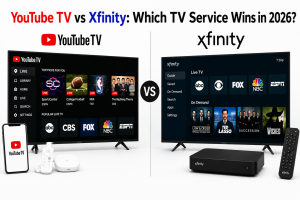
YouTube TV vs Xfinity: Which TV Service Wins in 2026?
YouTube TV vs Xfinity: Which TV Service Wins in 2026? Table of Contents Minimize the noise and evaluate channel options, billing models, and hardware commitments.
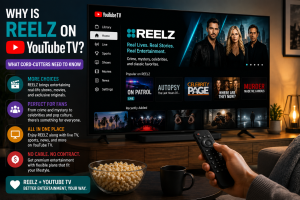
Why Is Reelz on YouTube TV? What Cord-Cutters Need to Know
Why Is Reelz on YouTube TV? What Cord-Cutters Need to Know Table of Contents A question often asked by cord-cutters looking for popular true crime